SaleTick for Supermarkets and Mini Marts
Supermarket software that shortens the queue and keeps the stock honest.
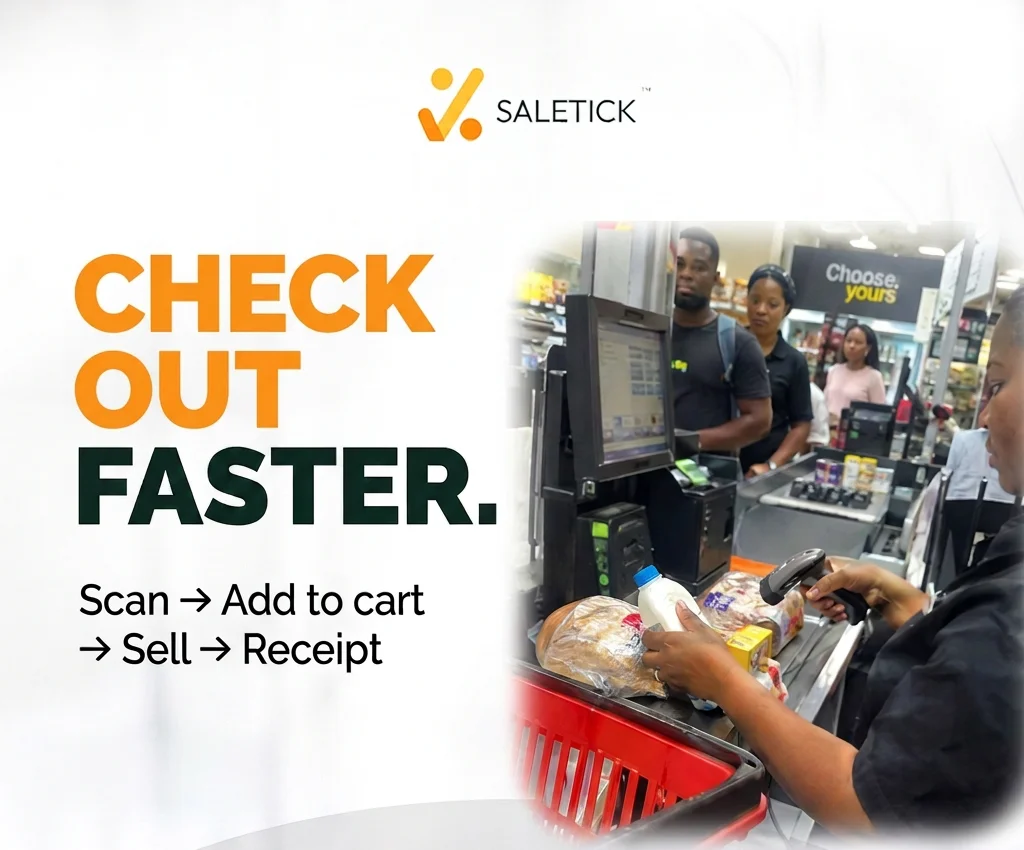
SaleTick is point-of-sale and inventory software for supermarkets and mini marts. Cashiers scan barcodes and print receipts in seconds, every sale updates your stock, and you can see each branch's sales, stock and staff activity from one account.
What a supermarket typically tracks in SaleTick
- Packaged groceries
- Drinks and snacks
- Household and cleaning items
- Toiletries
- Bakery and fresh items without barcodes
What makes running a supermarket hard
If you run a supermarket, you will recognise these.
Queues build up at the till
Manual totals and handwritten receipts turn a busy evening into lost customers.
Thousands of products, no clear count
With so many items, nobody knows what is really on the shelves until something runs out.
The till does not match the day's sales
When cashiers rotate, it is hard to tell where a shortage came from.
Every new branch is another blind spot
You cannot stand in every shop, so each location runs on trust.
How SaleTick helps your supermarket
One system for selling, stocking, tracking and controlling your business.
Scan, sell, print
Scan each item at the counter, let SaleTick add it up, and print a professional receipt in seconds.
Labels for items without barcodes
Print your own barcode labels for bread, loose goods and anything else that arrives without one.
A record of every cashier's sales
Each cashier has their own role and permissions, and SaleTick records who handled each sale.
All branches on one screen
See every branch's sales and stock from one account, and get low-stock alerts before shelves go empty.
Features supermarkets and mini marts use most
Fast checkout
Ring up sales without manual calculations, then confirm and the sale is recorded.
Barcode scanning and printing
Scan products with your phone or desktop at the counter, and print barcode labels for items that do not have one.
Receipts and invoices
Print a professional receipt at the counter or send an invoice to the customer on WhatsApp.
Stock that updates itself
Every sale reduces your stock automatically, so the number on screen matches the shelf.
Low-stock and expiry alerts
Get warned before an item runs out or expires, not after it has cost you.
Staff roles and activity
Give each person the right role and permissions, see who is present and active, and keep a record of who did what.
Multi-branch management
Run every location from one account and see each branch's sales and stock without visiting.
Works online and offline
Keep selling when the network drops. Your records sync when you are back online.
Advanced Accounting: books kept for you
Every sale, credit sale, payment, expense and stock movement posts to double-entry books automatically: trial balance, profit and loss, balance sheet, cash flow, bank reconciliation, fixed assets, budgets and month-end closing. On Growth, Business and Enterprise plans and the free trial, in SaleTick Desktop for Windows.
Supply Management: buy stock properly
Keep suppliers, send purchase orders, receive deliveries into a store room and push them to the shop in a few clicks. New items are created for you; track supplier bills, payments, returns and what you owe. On Growth, Business and Enterprise plans and the free trial, in SaleTick Desktop for Windows.
Sell online with your SaleTick store
Customers see your goods, buy and pay online, and the payment is held in escrow for 7 days. You deliver, the customer confirms, and you withdraw your money. No extra fee.
Getting your products in is the easy part
You do not have to type your whole supermarket into SaleTick by hand.
Bring your existing records
Import products, stock, customers and debts from Excel, CSV, a PDF or photos of your paper book. Review every row before it is saved, and undo within 7 days if needed.
See how importing worksHelp on WhatsApp
Our team helps you set up remotely: matching your columns, checking your import and showing your staff the checkout. Step-by-step guides are in the help center.
SaleTick for supermarkets and mini marts: common questions
- Can SaleTick answer customers who message us on WhatsApp?
- Yes. The WhatsApp customer assistant answers enquiries, creates orders, and sends receipts and invoices when you are not available. Connect your WhatsApp Business number from the SaleTick app to turn it on.
- How do I sell items that have no barcode?
- SaleTick lets you create and print your own barcode labels, so you can label loose or unbranded items and scan them like everything else.
- Can I see each cashier's sales?
- Yes. Each staff member has their own role and permissions, and SaleTick keeps a record of who did what, including which sales they handled.
- We have more than one branch. Does SaleTick handle that?
- Yes. Multi-branch management lets you run every location from one account and see each branch's sales and stock.
- What happens at the till when the network goes off?
- SaleTick works online and offline, so your cashiers keep selling when the network drops.
- Can someone help set up our product list?
- Yes. You can import your products from Excel, CSV, a PDF or photos. Our team can also help you set up and show your cashiers the checkout over a video or WhatsApp call.
- What is the best POS software for a supermarket?
- One that is fast at a busy till, scans barcodes, updates stock with every sale, keeps working offline and shows each cashier's sales. SaleTick does all of these on Windows and phones, with expiry alerts and multi-branch control.
- Can I record expenses and see my real profit?
- Yes. Record expenses such as rent, electricity, generator fuel and salaries under their own categories, and SaleTick gives you a profit and loss statement for any period you choose. It is included on every plan.
- Can I order from suppliers and keep proper books in SaleTick?
- Yes. Supply Management keeps your suppliers, purchase orders, deliveries, supplier bills and what you owe, and Advanced Accounting posts every sale, expense and delivery to double-entry books automatically. Both are on Growth, Business and Enterprise plans and the free trial, in SaleTick Desktop for Windows. SaleTick does not handle tax.
SaleTick for supermarkets and mini marts in your country
Available in 20 countries, with prices and receipts in your own currency.
SaleTick for similar businesses
- SaleTick for provision and grocery storesFast counter sales, customer debts and restock alerts.Read more
- SaleTick for wine and drinks shopsEvery bottle recorded, restock alerts and late-night visibility.Read more
- SaleTick for wholesale and distribution businessesLarge volumes, customer credit and stock across locations.Read more
Free tools and guides
- Supply ManagementSuppliers, purchase orders and supplier bills.Read more
- Advanced AccountingDouble-entry books kept for you from every sale.Read more
- Offline POS guideKeep selling when the network or power drops.Read more
- Stock control software guideReorder levels, cycle counts and what to look for.Read more
- Sales tracking guideWhat to record for every sale, and how to choose software.Read more
- Profit Margin CalculatorSee profit, margin and markup for any product.Read more
- Reorder Point CalculatorKnow the stock level at which to reorder each product.Read more
- SaleTick vs ExcelYour spreadsheet does not know when you sell something. SaleTick does.Read more
Ready to run your supermarket with control?
Download SaleTick, bring your products across, and see your whole business from your phone.
See pricing · You can try SaleTick free before you commit.